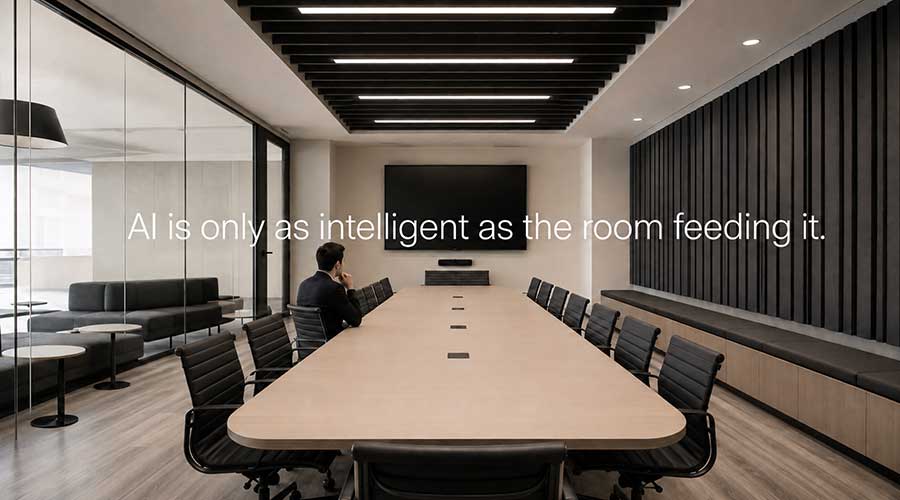
AI-Ready Meeting Rooms Start with Infrastructure, Not Software
Many organizations think AI readiness starts with software.
Buy Microsoft Copilot. Enable Zoom AI Companion. Turn on automated meeting summaries. Give employees access to intelligent collaboration tools.
Done.
Except that is only half the equation.
If a meeting room cannot clearly hear every participant, an AI assistant cannot reliably interpret what they say. If cameras do not capture people consistently, intelligent framing and participant recognition become less useful. If room acoustics introduce echo, the network drops audio, or systems behave differently from one location to the next, AI does not make those problems disappear.
It inherits them.
A poor meeting used to end when everyone left the room. Now it may produce an incomplete transcript, an inaccurate summary, or a permanent record that fails to reflect what actually happened.
That is why the real AI conversation should begin with infrastructure.
AI readiness starts long before an assistant joins the meeting. It begins with microphones, acoustics, cameras, connectivity, room standards, system management, governance, and lifecycle planning.
More importantly, it begins with a workplace technology strategy that treats meeting rooms as business infrastructure rather than a collection of devices.
The question organizations should ask is not simply, “Which AI collaboration tool should we deploy?”
It is, “Are our meeting environments giving AI the information it needs to succeed?”
Quick Answer
An AI-ready meeting room is a collaboration space with the audio, video, networking, system reliability, and management capabilities required for AI-powered platforms to accurately capture conversations, recognize participants, automate meeting tasks, and support future workplace technologies.
AI readiness is therefore an infrastructure strategy, not just a software deployment. Organizations get better results from AI meeting tools when rooms provide clear audio, consistent camera coverage, dependable connectivity, standardized user experiences, and systems that IT can manage at scale.
Before investing heavily in AI meeting capabilities, leaders should assess whether their existing conference room technology can provide reliable inputs, support consistent experiences, and adapt as collaboration platforms evolve.
Table of Contents
- What Is an AI-Ready Meeting Room?
- Why AI Raises the Standard for Workplace Technology
- Why AI Is Only as Good as Your Infrastructure
- The Four Pillars of AI-Ready Meeting Rooms
- The Hidden Infrastructure Most Organizations Overlook
- AI Readiness Is an Infrastructure Maturity Problem
- AI Meeting Room Maturity Model
- A Practical AI Readiness Roadmap
- AI Readiness Checklist
- Questions Every IT Leader Should Ask Before Investing in AI
- Future-Proofing Workplace Technology
- Common Myths About AI Meeting Rooms
- What We Are Seeing with Clients
- Frequently Asked Questions
- Key Takeaways
What Is an AI-Ready Meeting Room?
An AI-ready meeting room is designed to provide the reliable inputs, consistent user experience, and manageable infrastructure that intelligent collaboration platforms require.
That is different from simply having AI features available.
An AI-enabled room has access to an AI-powered platform or meeting assistant.
An AI-compatible room can technically support those tools.
An AI-ready room provides the capture quality, connectivity, standardization, and operational support needed for those tools to perform reliably.
That distinction matters.
Many organizations already have access to AI features through Microsoft Teams Rooms, Zoom Rooms, or other collaboration platforms. Access alone does not guarantee useful outcomes.
A room may support transcription but fail to capture people at the far end of the table. It may offer intelligent camera framing while poor placement excludes part of the room. It may generate meeting recaps, but network interruptions or inconsistent audio can leave important context missing.
A genuinely AI-ready room should help an organization:
- Capture conversations accurately
- Represent participants equitably
- Reduce friction at the start of meetings
- Support consistent workflows across locations
- Enable IT to manage systems efficiently
- Accommodate future collaboration capabilities
From our perspective, most organizations do not have an AI meeting room problem yet. They have an inconsistent meeting room portfolio that AI is beginning to expose.
Why AI Raises the Standard for Workplace Technology
AI raises the standard for workplace technology because meetings are becoming more than live conversations.
For years, the basic expectation for a conference room was straightforward. Participants needed to join a call, see remote attendees, share content, and hear the discussion.
Now meetings may also produce:
- Searchable transcripts
- Automated summaries
- Speaker attribution
- Action items
- Intelligent camera views
- Meeting insights
- Follow-up content
- Records that can be referenced later
That gives meeting rooms a much larger role in the organization.
A meeting is no longer only a moment of communication. It can become a source of institutional knowledge, project documentation, decision history, and operational data.
When that record is accurate, teams can reduce manual note-taking, clarify ownership, bring absent employees up to speed, and preserve information that might otherwise be lost.
When it is inaccurate, the consequences can extend beyond inconvenience.
An absent executive may receive the wrong summary. An action item may be assigned to the wrong person. A project team may spend time reconstructing a decision that the meeting assistant failed to capture correctly.
This is why AI readiness is a business issue, not simply a technology issue.
The room is becoming part of the organization’s information environment. Its performance can influence productivity, trust, governance, and the quality of future decisions.
Why AI Is Only as Good as Your Infrastructure
AI meeting tools interpret signals.
They analyze audio, video, participant information, timestamps, room identity, shared content, and other meeting metadata. The cleaner and more consistent those inputs are, the more useful the output can be.
Microphones determine what AI can hear
Microphones provide one of the most important inputs in an AI-powered meeting.
If voices are clear near the front of the room but distant or muffled elsewhere, the meeting assistant receives an incomplete version of the conversation.
That can affect:
- Transcription accuracy
- Speaker attribution
- Meeting summaries
- Action-item detection
- Searchability
- Participant equity
The business question is not whether the room contains an expensive microphone. It is whether every participant can contribute and be represented accurately.
Acoustics determine speech clarity
Even good microphones struggle in poor acoustic environments.
Glass walls, hard floors, exposed ceilings, HVAC noise, and reflective surfaces can all reduce speech intelligibility.
Acoustics are often treated as an architectural detail. In an AI-enabled workplace, they are part of the information infrastructure.
If the room produces echo or reverberation, both remote participants and AI systems receive a lower-quality signal.
Camera placement determines what AI can see
Intelligent cameras still depend on good placement, useful sightlines, appropriate lighting, and thoughtful room layout.
A capable camera installed too high, too far away, or at the wrong angle may technically capture the room while still creating a poor experience.
Participants at the edge of the table may be excluded. A presenter may disappear when standing near a display. Strong backlighting may reduce visibility.
As collaboration platforms introduce more advanced framing, tracking, and recognition, camera placement becomes a strategic design decision.
Digital signal processing supports usable audio
Digital signal processors, often called DSPs, help manage audio in more complex spaces.
They can support echo cancellation, microphone mixing, audio routing, level control, and multiple speakers or microphones.
Leaders do not need to understand every technical detail. They do need to understand the business purpose: creating a stable and intelligible audio environment for people and the systems interpreting the conversation.
Networking affects the continuity of the record
Cloud collaboration depends on dependable network performance.
Packet loss, latency, bandwidth constraints, configuration problems, or competing traffic can interrupt audio and video.
To a participant, a brief disruption may feel like a minor annoyance. To an AI assistant, it may remove context from the meeting record.
AI collaboration therefore cannot be separated from network planning.
AI does not create great meetings. Great meetings create great AI.
The Four Pillars of AI-Ready Meeting Rooms
From our perspective, organizations can evaluate AI meeting room readiness through four connected pillars: Capture, Connectivity, Consistency, and Manageability.
Pillar 1: Capture
Capture is the room’s ability to accurately collect what people say, show, and share.
It includes:
- Microphone coverage
- Camera placement
- Speech intelligibility
- Room acoustics
- Lighting
- Content-sharing inputs
The goal is not simply to install devices. It is to create an environment where every participant can be heard and seen clearly.
A useful question is:
Does the room capture the entire meeting, or only the people closest to the technology?
Pillar 2: Connectivity
Connectivity is the infrastructure that moves information reliably between room devices, user endpoints, networks, and collaboration platforms.
It includes:
- Network performance
- USB architecture
- Signal switching
- Device interoperability
- Cabling
- Platform connectivity
- System reliability
Connectivity is mostly invisible when it works and highly disruptive when it does not.
Strong connectivity reduces troubleshooting, supports stable performance, and makes the environment easier for IT to maintain.
Pillar 3: Consistency
Consistency is the extent to which users encounter the same dependable experience across rooms, buildings, and locations.
It includes:
- Documented room standards
- Consistent control interfaces
- Repeatable room types
- Standard equipment configurations
- Familiar meeting workflows
- Clear support procedures
Consistency reduces cognitive load. Employees should not have to relearn how to start a meeting every time they enter a different space.
It also makes the environment easier to test, monitor, support, and upgrade.
Pillar 4: Manageability
Manageability is the organization’s ability to monitor, support, maintain, and improve its meeting room environment over time.
It includes:
- Centralized device management
- Remote monitoring
- Room health visibility
- Usage data
- Firmware and software management
- Support workflows
- Lifecycle planning
- Scalability
AI-ready infrastructure is not a one-time installation. It is an operational system.
Manageability turns individual meeting rooms into a governable workplace technology portfolio.
The Hidden Infrastructure Most Organizations Overlook
The technology users can see often receives the most attention. The infrastructure behind it usually determines whether the room remains reliable, supportable, and adaptable.
DSP architecture
A DSP may be essential for managing multiple microphones, speakers, audio zones, and echo cancellation.
The strategic issue is not simply whether a DSP exists. It is whether the audio architecture can support the room’s current use and adapt to future requirements.
Power and thermal management
Integrated rooms depend on stable power and proper ventilation.
Poor power planning or inadequate airflow can contribute to unplanned shutdowns, overheating, shortened equipment life, and intermittent failures that are difficult to diagnose.
Signal-path documentation
A room may work perfectly on installation day and become difficult to support six months later if its signal paths are not documented.
Accurate documentation reduces troubleshooting time, supports vendor transitions, and prevents critical system knowledge from residing with one person.
Device accessibility and serviceability
Equipment should be installed where technicians can inspect, replace, and service it without dismantling the room.
Serviceability has a direct effect on downtime and support cost.
A design that saves space but makes critical components inaccessible may create higher operating costs for years.
Network segmentation and device access
Meeting room devices increasingly operate as networked endpoints.
Organizations need clear policies for authentication, segmentation, remote access, firmware updates, and device ownership.
This is where AV, IT, and cybersecurity responsibilities begin to overlap.
Spare capacity
Infrastructure designed with no additional capacity may become expensive to modify.
Spare network ports, cable pathways, rack space, power availability, and processing capacity can give organizations more options as room requirements evolve.
The most valuable infrastructure investments are often those that improve current meetings while preserving flexibility for future AI capabilities.
AI Readiness Is an Infrastructure Maturity Problem
Organizations do not become AI-ready through one purchase. They become ready through the quality of the infrastructure, governance, and lifecycle decisions they make over time.
A mature workplace technology environment has:
- Clear standards
- Defined ownership
- Planned refresh cycles
- Reliable support processes
- Accurate documentation
- Visibility into system performance
- A method for prioritizing investment
An immature environment is more reactive.
Rooms are upgraded after failures. Departments make independent decisions. Documentation is incomplete. Support depends on a small number of employees who understand how each room was assembled.
AI exposes the difference between those environments.
Technology debt limits progress
Technology debt accumulates when organizations postpone upgrades, accept inconsistent standards, depend on temporary fixes, or deploy systems without long-term support plans.
That debt may not appear on a balance sheet, but it has real consequences:
- Higher support costs
- Longer outages
- More user frustration
- Inconsistent performance
- Difficult upgrades
- Reduced flexibility
- Greater project risk
When AI collaboration is introduced, organizations may discover that the software is advancing faster than the rooms can support it.
Lifecycle planning creates predictability
Meeting room infrastructure has a different lifecycle from software.
Collaboration platforms may change frequently. Cameras, displays, microphones, processors, control systems, and cabling may remain in service for years.
That mismatch makes lifecycle planning essential.
Organizations should understand:
- Which components can be updated
- Which will eventually require replacement
- When warranties and support agreements expire
- Which products are approaching end of life
- How one upgrade may affect other system components
- When capital will be required
A lifecycle strategy turns surprise failures into planned investment decisions.
Governance aligns the organization
AI readiness also requires clear ownership.
Who defines meeting room standards? Who approves platform changes? Who owns the user experience? Who monitors performance? Who manages refresh cycles? How do IT, facilities, operations, real estate, cybersecurity, and outside partners coordinate?
Without governance, each group may control one part of the environment while no one owns the complete outcome.
The organizations getting the most value from workplace technology treat meeting rooms as a shared operational capability with defined accountability.
AI Meeting Room Maturity Model
The following model can help organizations identify their current state and determine what should happen next.
| Maturity Level | Description | Diagnostic Indicator | Strategic Priority |
|---|---|---|---|
| Level 1: Reactive Rooms | Technology is addressed mainly when something fails. | Users discover problems before IT does. | Stabilize critical rooms and document the environment. |
| Level 2: Standardized Collaboration | Common room types and technology standards are established. | Similar rooms provide a repeatable user experience. | Reduce exceptions and expand standards. |
| Level 3: Managed Workplace Technology | Rooms are treated as a centrally managed technology portfolio. | IT can monitor system health and plan lifecycle needs. | Improve governance, analytics, and proactive support. |
| Level 4: AI-Ready Infrastructure | Rooms provide validated audio, video, connectivity, and management for AI use cases. | Capture quality is tested against defined AI readiness criteria. | Pilot AI workflows and measure results. |
| Level 5: Intelligent Digital Workplace | Meeting intelligence connects to broader workflows and workplace data. | Meeting insights support automation, planning, and organizational decision-making. | Align workplace intelligence with business strategy. |
Not every organization needs to reach Level 5 immediately.
The purpose of the model is to prevent leaders from skipping foundational steps. An organization operating primarily at Level 1 will struggle to achieve Level 4 outcomes, regardless of how advanced its software may be.
A Practical AI Readiness Roadmap
AI readiness should be approached as a prioritized improvement program, not a company-wide replacement mandate.
1. Inventory and classify the room portfolio
Document existing rooms, technologies, platforms, support status, age, business importance, and known issues.
Group spaces into repeatable room types rather than treating every room as unique.
2. Establish minimum performance standards
Define what acceptable performance means for audio, video, connectivity, usability, management, and support.
The standard should be measurable.
For example, “good audio” is subjective. “Every participant can be clearly heard and accurately transcribed from every intended seat” is testable.
3. Test real-world capture quality
Evaluate rooms under realistic meeting conditions.
Do not rely only on device specifications. Test different seating positions, speaking volumes, lighting conditions, network loads, and presentation scenarios.
4. Prioritize by business criticality
Not every room requires the same level of investment.
Start with spaces used for:
- Executive meetings
- Customer presentations
- Project decisions
- Training
- High-value collaboration
- Large or distributed teams
The best first investments are often rooms where inaccurate or unreliable meetings carry the greatest business cost.
5. Address high-impact gaps
Remediation may include acoustic treatment, microphone changes, camera repositioning, network improvements, updated switching, better documentation, or interface standardization.
Some rooms may need targeted changes. Others may require full redesign.
6. Build upgrades into lifecycle and capital plans
Avoid treating AI readiness as a one-time special project.
Include required improvements in normal refresh cycles, renovation plans, standards, and annual capital planning.
7. Pilot AI in rooms that meet the standard
Begin with a controlled set of rooms that have reliable infrastructure.
This gives the organization a more accurate view of the software’s value because poor room performance is less likely to distort the results.
8. Measure outcomes before expanding
Track metrics such as:
- Room uptime
- Support tickets
- Meeting start time
- User satisfaction
- Transcription quality
- Adoption
- Administrative time saved
- Accuracy of summaries and action items
Expansion should be based on demonstrated value, not simply feature availability.
AI Readiness Checklist
Use this assessment to identify potential gaps.
Audio and acoustics
-
Yes | No: Can every participant be clearly heard from every intended seat?
-
Yes | No: Are echo and background noise controlled?
-
Yes | No: Has microphone coverage been tested under real meeting conditions?
-
Yes | No: Are transcripts accurate enough to be trusted?
Video and room design
-
Yes | No: Can every participant be seen clearly?
-
Yes | No: Are cameras positioned for useful framing and natural sightlines?
-
Yes | No: Does lighting support consistent video quality?
-
Yes | No: Can the room accommodate its intended meeting scenarios?
Connectivity and reliability
-
Yes | No: Is network performance reliable during peak usage?
-
Yes | No: Are signal paths and USB connections stable?
-
Yes | No: Can employees share content without workarounds?
-
Yes | No: Are recurring failures documented and investigated?
Standards and user experience
-
Yes | No: Are room standards documented?
-
Yes | No: Do similar rooms operate in similar ways?
-
Yes | No: Can employees start meetings without specialized training?
-
Yes | No: Are support instructions clear and easy to find?
Management and lifecycle
- Yes | No: Can IT monitor room health remotely?
- Yes | No: Is there an accurate inventory of room technology?
- Yes | No: Are firmware, software, and device updates managed systematically?
-
Yes | No: Are refresh cycles included in capital planning?
-
Yes | No: Is ownership clear across IT, facilities, operations, and outside partners?
A high number of “no” responses does not necessarily mean AI initiatives should stop. It means infrastructure remediation should become part of the AI roadmap.
Questions Every IT Leader Should Ask Before Investing in AI
The conversation leaders should be having goes beyond hardware compatibility.
What business process should improve?
Define the business outcome before selecting the tool.
Is the goal to reduce administrative work, improve project follow-through, preserve knowledge, increase meeting accessibility, or improve decision documentation?
Which rooms create the greatest business risk when meetings fail?
A small focus room and an executive boardroom do not carry the same operational consequences.
Prioritize investment according to business criticality.
What percentage of our room portfolio meets a defined standard?
AI readiness should be measurable.
Leaders should know how many rooms are standardized, manageable, supported, and capable of producing reliable meeting data.
Who owns the accuracy and governance of meeting-generated information?
Meeting summaries and transcripts may contain sensitive, incomplete, or consequential information.
Ownership should include policies for access, retention, accuracy, security, and appropriate use.
Which infrastructure investments are reusable across platforms?
The strongest investments often improve the room regardless of which collaboration platform is used.
Audio quality, acoustics, networking, documentation, serviceability, and system management can provide value across multiple software environments.
What will supporting AI add to the operating model?
New capabilities may introduce additional monitoring, training, security, governance, support, and lifecycle requirements.
Those costs should be understood before deployment.
Are we reducing or adding technology debt?
Every project should move the organization toward a more standardized, documented, and supportable environment.
How will we measure value?
Relevant measures may include uptime, support volume, meeting start time, user satisfaction, transcription accuracy, adoption, and reduced administrative effort.
Future-Proofing Workplace Technology
Future-proofing does not mean predicting every new AI capability.
It means making infrastructure decisions that preserve options.
Software changes quickly. Physical infrastructure changes more slowly and usually requires more planning, coordination, capital, and disruption.
Organizations should avoid designing rooms around one narrow feature or current workflow.
A stronger approach includes:
- Selecting architecture based on use cases rather than individual products
- Separating components with different lifecycle expectations
- Building capacity for future devices and signal requirements
- Favoring interoperable and manageable systems
- Maintaining accurate documentation
- Standardizing room types while allowing justified exceptions
- Preserving network, power, rack, and cable capacity
- Planning refresh cycles before equipment reaches failure
The question is not whether an organization can predict what AI collaboration will look like five years from now.
It is whether the infrastructure being installed today will leave the organization with choices when that future arrives.
Common Myths About AI Meeting Rooms
Myth: Buying AI software makes meeting rooms AI-ready
Reality: Software provides the intelligence, but infrastructure determines the quality of the information it receives.
Myth: AI can reconstruct anything it misses
Reality: AI may improve processing, but it cannot reliably recover speech or context that was never captured clearly.
Myth: Every room needs to be rebuilt
Reality: Some rooms may need substantial upgrades, while others may only require targeted improvements. Assessment should come before replacement.
Myth: AI readiness is an IT-only responsibility
Reality: IT may own the platform and network, but facilities, operations, real estate, cybersecurity, users, and integration partners all influence room performance.
Myth: The newest equipment provides the best long-term value
Reality: The best investment is the solution that fits the use case, integrates with the broader environment, can be supported, and aligns with lifecycle plans.
What We Are Seeing with Clients
Many organizations moved quickly to support distributed and hybrid work.
The immediate goal was access. Get people connected, equip rooms, deploy collaboration platforms, and keep business moving.
The next phase is different.
Organizations are now asking how to improve the quality, consistency, supportability, and long-term value of the environments they created.
The conversation is shifting from deployment to optimization.
What we are seeing with clients is that AI often becomes the reason leaders take a closer look at issues that already existed:
- Inconsistent room standards
- Poor acoustic environments
- Limited monitoring
- Aging infrastructure
- Fragmented ownership
- Unplanned refresh needs
- Uneven user experiences
AI is not creating all of these problems. It is making them harder to ignore.
From our perspective, AI readiness should be assessed by room type and business criticality, not through a blanket replacement strategy.
The organizations getting the most value are identifying where reliable meeting intelligence matters most, improving those environments first, and using the results to guide broader planning.
Frequently Asked Questions About AI Meeting Rooms
What makes a meeting room AI-ready?
An AI-ready meeting room provides clear audio, effective camera coverage, dependable networking, consistent controls, and manageable infrastructure. These elements give AI collaboration platforms the information they need to create useful transcripts, summaries, action items, and other outputs.
Do I need new hardware for AI meeting assistants?
Not always. Some existing rooms may already provide adequate audio, video, and connectivity. Others may need targeted upgrades or complete redesign. An assessment should evaluate actual performance before replacement decisions are made.
Can AI meeting assistants fix poor room audio?
No. AI may reduce some noise or improve processing, but it cannot reliably reconstruct speech that was not captured clearly. Microphone coverage, acoustics, placement, and system configuration still matter.
Why do microphones matter for AI?
Microphones provide the audio signal AI systems use to interpret the conversation. Clear, balanced coverage supports more accurate transcription, summaries, speaker attribution, and action-item capture.
How do cameras affect AI-powered meetings?
Camera placement, sightlines, lighting, and room layout influence how well remote participants and intelligent video features can see and interpret the room.
What role does networking play in AI meeting rooms?
Networking supports the real-time movement of audio, video, content, and meeting data. Poor network performance can interrupt calls and create gaps in the information available to AI tools.
How do you assess whether a conference room is AI-ready?
Evaluate audio coverage, acoustics, camera views, lighting, network performance, system reliability, room consistency, management capabilities, documentation, and lifecycle status under real meeting conditions.
What should be included in an AI meeting room standard?
A standard should define room types, performance expectations, approved technologies, control experiences, audio and video coverage, network requirements, monitoring, documentation, support, and lifecycle planning.
Which meeting rooms should be upgraded first?
Prioritize rooms according to business criticality, usage, current performance, and the consequences of failure. Executive, customer-facing, training, and high-value project spaces may warrant earlier attention.
Who should own AI meeting room strategy?
Ownership is usually shared across IT, facilities, operations, real estate, cybersecurity, and workplace technology teams. One group should still be accountable for the complete user and operational outcome.
How often should meeting room technology be refreshed?
Refresh timing varies by component, usage, support status, warranty, compatibility, and business requirements. Organizations should use a documented lifecycle plan rather than waiting for failure.
How can organizations measure AI meeting room ROI?
Useful measures include room uptime, support volume, meeting start time, user satisfaction, transcription accuracy, adoption, administrative time saved, and the reliability of summaries and action items.
Key Takeaways
- AI readiness is an infrastructure strategy, not simply a software deployment.
- Reliable AI outputs depend on clear audio, useful video, dependable connectivity, and consistent room design.
- Capture, Connectivity, Consistency, and Manageability form the foundation of AI-ready meeting rooms.
- Technology debt, weak governance, and reactive lifecycle planning can limit the value of AI investments.
- Organizations should prioritize rooms by business criticality, test real-world performance, and expand AI based on measured results.
Conclusion: Start with the Environment AI Depends On
AI collaboration platforms can help organizations capture knowledge, automate routine meeting tasks, improve access to information, and make conversations more useful after the meeting ends.
Those benefits are not created by software alone.
They depend on the quality of the environment underneath it.
The organizations that achieve the most value will be the ones that treat audio, video, connectivity, standards, management, governance, and lifecycle planning as part of the AI strategy from the beginning.
Instead of asking only, “Which AI assistant should we buy?” leaders should ask a more important question:
Is our meeting environment giving AI the information it needs to succeed?
Whether your organization is evaluating AI collaboration tools, planning new meeting spaces, or assessing existing conference room technology, Level 3 Audiovisual can help you evaluate workplace technology through the lens of infrastructure readiness, lifecycle planning, user experience, governance, and long-term business outcomes.
Contact our team to discuss an AI readiness assessment and a workplace technology strategy built around where your organization is going, not only what your meeting rooms support today.

