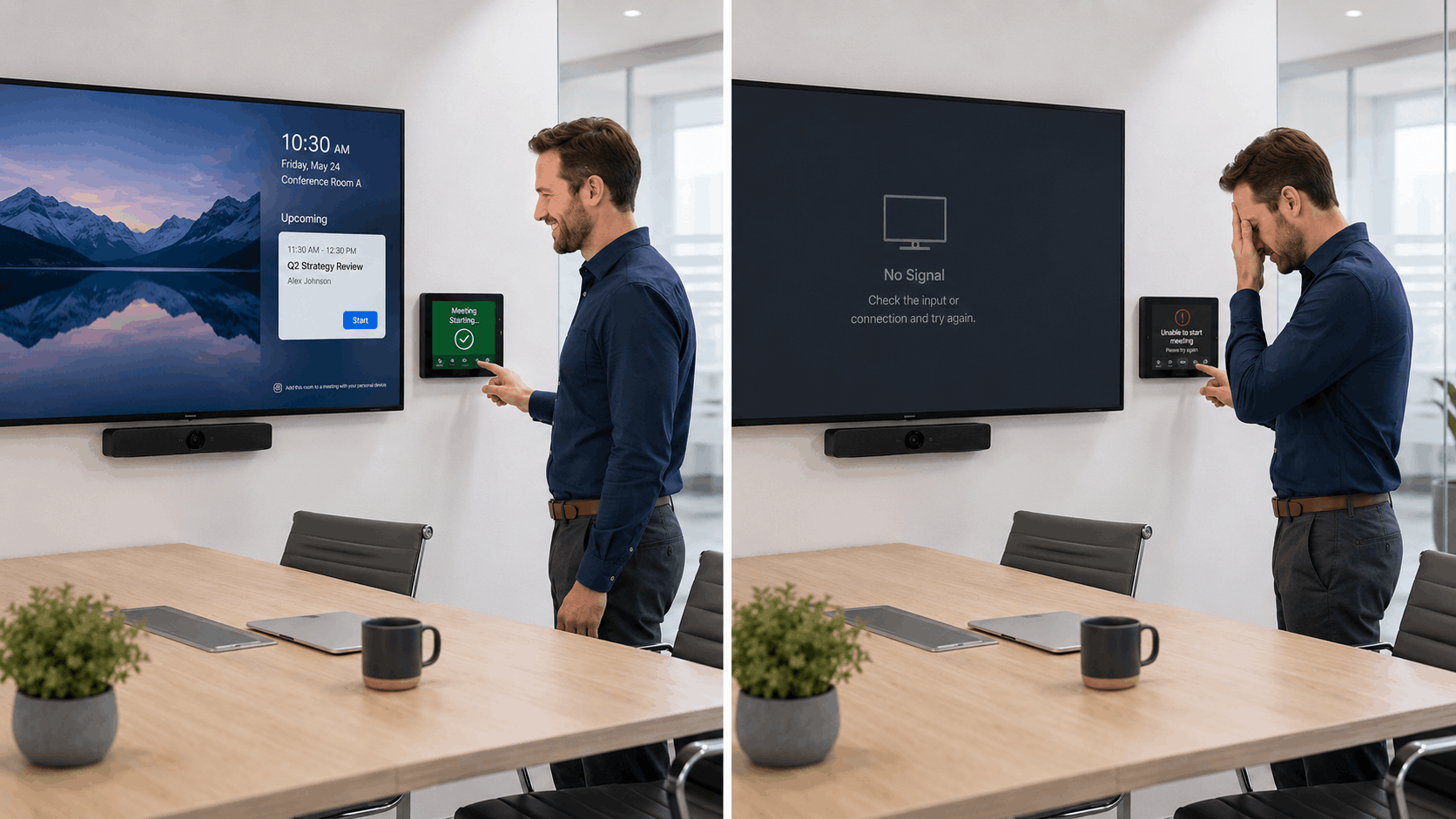
The Meeting Room Consistency Problem: Why Some Spaces Work and Others Don’t
Most organizations have a meeting room people trust and a meeting room people avoid.
One starts quickly, sounds clear, and makes collaboration easy. The other needs a restart, an adapter, a workaround, or a call to IT before the meeting can begin.
For employees, that inconsistency is frustrating. For IT, facilities, and operations leaders, it points to a larger issue: meeting room technology has often been built, upgraded, and supported without a consistent strategy.
Over time, spaces end up with different technology, control experiences, and support requirements. One room may support Microsoft Teams natively while another requires users to join from a laptop. Some rooms support wireless sharing while others still depend on cables and adapters. Cameras, microphones, and displays may perform differently from room to room.
Each issue may seem minor on its own. Together, they create a workplace experience that feels unpredictable.
At Level 3 Audiovisual, we believe the goal is not to make every meeting room identical. The goal is to make every room intentional, predictable, supportable, and aligned with how people actually work.
Why Inconsistent Meeting Rooms Create Bigger Business Problems
It is easy to dismiss meeting room inconsistency as a minor inconvenience. A meeting starts late. Someone changes rooms. IT gets called in.
But those moments add up.
Every delayed meeting affects productivity. Every room that requires special knowledge creates dependency on a few internal experts. Every unique room configuration makes troubleshooting slower.
For organizations with multiple offices or high-use collaboration spaces, inconsistency can lead to:
- More support tickets
- Lower employee confidence in collaboration tools
- Poorer experiences for remote participants
- Increased pressure on IT and facilities teams
- Higher long-term support costs
- Greater risk during executive or client-facing meetings
The real issue is not that people dislike a room. It is that the organization loses control over how collaboration technology performs across the business.
When users lose confidence in certain spaces, they create workarounds. They bring personal devices, avoid specific rooms, or rely on the same few trusted spaces while others sit underused.
That is when inconsistency becomes an operational problem.
How Meeting Room Inconsistency Happens
Most inconsistent meeting environments are not created intentionally. They develop over time.
One room gets upgraded during a renovation. Another receives a quick refresh for an executive team. A third still uses equipment from an older standard. A new office opens with different technology because budgets, product availability, or stakeholder preferences changed.
Each decision may have made sense individually. Without a broader standard, however, organizations end up with a patchwork of meeting experiences.
Common symptoms include:
- Different room interfaces
- Inconsistent audio and video quality
- Varying camera placement
- Uneven support for collaboration platforms
- Outdated documentation
- Different troubleshooting processes for each room
- Unclear user expectations
Meeting spaces are not isolated technology projects. They are part of a larger workplace technology ecosystem.
When every room is treated as a separate project, both the user experience and support model become harder to manage.
Consistency Does Not Mean Every Room Should Be the Same
One of the biggest misconceptions about AV standardization is that every room must use the same technology.
That is rarely the right approach.
A huddle room should not be designed like a boardroom. A training room has different requirements than a small collaboration space. Executive spaces often need different capabilities than internal project rooms.
The goal is not sameness. The goal is predictability.
Users should know how to start a meeting, share content, adjust volume, and connect with remote participants regardless of which room they enter.
IT teams should understand how rooms are built, monitored, and supported. Facilities teams should understand how room design aligns with intended use and future planning.
A strong meeting room standard creates consistency at the experience level, even when room types vary.
That may include standardizing:
- Collaboration platforms
- Room controls
- Audio and video expectations
- Display and camera placement
- Network requirements
- Documentation standards
- Monitoring and support processes
This approach provides flexibility without creating unnecessary complexity.
Build Meeting Room Standards Around Use Cases
The best meeting room standards begin with a simple question: What should users be able to do in this space?
Before selecting technology, organizations should understand how the room will be used. Is it intended for quick team check-ins, hybrid meetings, executive discussions, training sessions, or client presentations?
Different use cases require different design decisions.
A hybrid collaboration room may need flexible content sharing and broad camera coverage. A boardroom may prioritize reliability and a polished user experience. A training room may require microphones, multiple displays, and presenter-focused controls.
Technology should support the room’s purpose.
This is where room types become valuable. Instead of designing every room from scratch, organizations can define categories such as:
- Huddle rooms
- Standard conference rooms
- Large conference rooms
- Training rooms
- Executive spaces
- Divisible rooms
- Specialty collaboration spaces
Each room type should have a defined purpose, capacity, technology standard, and support model.
This framework helps organizations make faster decisions, maintain consistency across locations, and justify future investments.
It also prevents unnecessary customization. While some customization may be appropriate, allowing every stakeholder to create a unique room often increases support complexity and long-term costs.
Design Meeting Rooms to Be Easier to Support
Meeting room success does not end at installation.
A room is only successful if it can be supported effectively over time. That means supportability should be considered during planning, not after problems appear.
For IT leaders, this is especially important because meeting rooms now sit at the intersection of AV, networking, unified communications, cloud services, and user support.
A supportable meeting room standard should answer questions such as:
- What devices are installed?
- Who owns support responsibilities?
- Can the room be monitored remotely?
- How are issues escalated?
- What documentation exists?
- When should equipment be refreshed?
Documentation plays a critical role. Device inventories, network requirements, wiring diagrams, warranty information, and room-specific details can significantly reduce troubleshooting time.
Remote monitoring can also improve reliability. When teams can identify device failures before users report them, support becomes more proactive and less disruptive.
Standardization further reduces friction because support teams do not need to relearn every room. They can troubleshoot faster, train staff more efficiently, and identify recurring issues across multiple spaces.
The result is not just technical efficiency. It is operational efficiency.
How to Evaluate Your Current Meeting Rooms
Organizations do not need to begin with a complete redesign. A practical first step is assessing the current environment.
Ask questions such as:
- Which rooms are booked most often?
- Which rooms generate the most support requests?
- Which rooms do employees avoid?
- Which spaces support executive or client-facing meetings?
- Which rooms contain aging equipment?
- Which rooms fall outside current collaboration standards?
- Which rooms lack documentation?
- Which rooms experience recurring audio, video, or control issues?
The answers usually reveal patterns.
Sometimes the issue is outdated technology. Sometimes it is poor room design. Sometimes it is a mismatch between how the room was designed and how employees actually use it.
An assessment helps organizations move from reactive spending to intentional planning.
Instead of requesting budget to broadly “upgrade conference rooms,” teams can identify specific risks, support challenges, and business impacts that justify investment.
Better Rooms Start With Better Standards
The meeting room consistency problem is not solved by replacing every device or making every room identical.
It is solved by creating a clear strategy for how rooms should function, how they should be supported, and how they should evolve over time.
We believe meeting room consistency starts with understanding business needs before discussing technology. The conversation should focus on how people work, where friction exists, and what the organization expects from its collaboration spaces.
For some organizations, that means auditing existing rooms and identifying gaps. For others, it means creating scalable room standards across multiple locations. For others, it means improving supportability, monitoring, documentation, or lifecycle planning.
The best meeting rooms are not necessarily the most advanced. They are the ones people trust.
And trust is built through consistency.
Once organizations understand where inconsistency is creating friction, they can make smarter decisions about what to improve now, what to plan for later, and how to create a more reliable workplace technology experience.
If your meeting rooms have become difficult to use, support, or scale, Level 3 Audiovisual can help assess your current environment, identify where inconsistency is creating friction, and develop room standards that support users, IT teams, and long-term business goals.
FAQ: Meeting Room Consistency and AV Standardization
What is meeting room consistency?
Meeting room consistency means employees can expect a reliable experience across meeting spaces. Rooms do not need to be identical, but core functions such as starting meetings, sharing content, and using audio and video should feel familiar.
Why do meeting rooms feel different from one room to another?
Meeting rooms are often upgraded at different times using different equipment, budgets, vendors, and design approaches. Without a standard, the user experience becomes inconsistent.
Does AV standardization mean every room needs the same equipment?
No. AV standardization focuses on creating consistent experiences, support processes, and performance expectations. Different room types may require different technology.
Where should an organization start if its meeting rooms are inconsistent?
Start with an assessment of existing spaces. Identify which rooms are most important, which generate the most support issues, and which no longer align with organizational standards.
Read More:
Communicating Your AV Standards Clearly: Why Visuals Matter More Than You Think
How CTOs and CIOs Can Align AV Upgrades with Long-Term IT Strategy
Creating a Consistent AV Experience Across Multi-Campus Institutions
Why Local Governments Are Standardizing Audiovisual Systems and How to Keep Up

