AI Is Already in Your Meeting Rooms. Do You Know What It’s Doing?
How AI-powered meeting technology is changing collaboration, support, privacy, and workplace planning
Your team may have used AI in a meeting today without realizing it. More importantly, your organization may already be responsible for meeting data, transcripts, summaries, and room experiences that no one has fully mapped, governed, or measured.
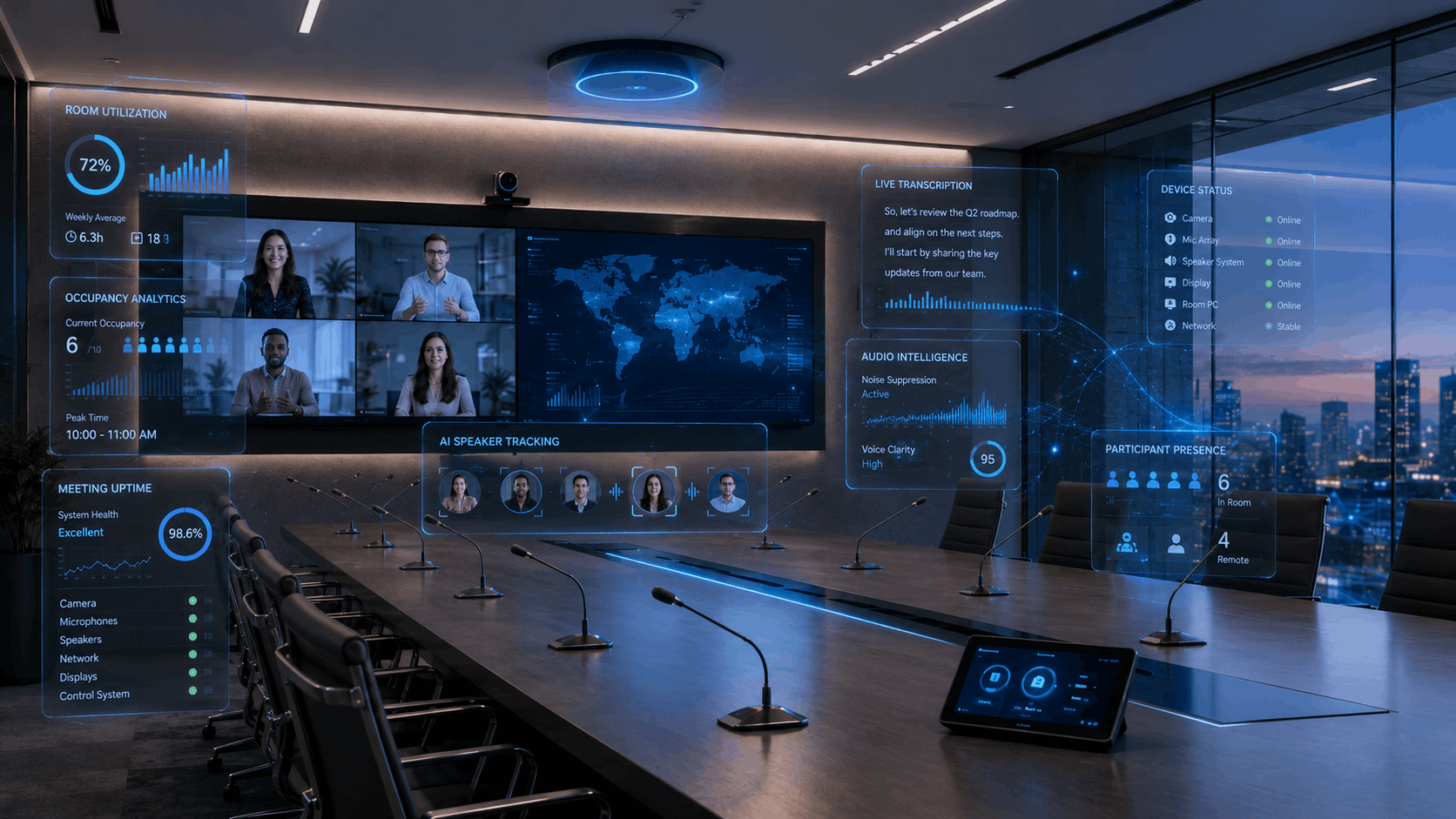
Maybe AI cleaned up background noise. Maybe it framed the person speaking so remote attendees could follow the conversation. Maybe it created a transcript, captured action items, translated captions, or helped someone who joined late catch up without interrupting the room.
To the person in the meeting, it may have felt like a small convenience. To the organization, it is something bigger.
AI is already embedded across meeting platforms, devices, and room systems. In many cases, organizations didn’t make a deliberate decision to adopt it, it simply arrived through platform updates and new capabilities.
The real question is no longer “should we use AI?” but “do we know exactly where it’s active and what it’s doing?” For CIOs, IT directors, facilities managers, COOs, and business leaders, that question matters. AI-powered meeting technology can improve productivity, accessibility, meeting quality, and user experience. It can also create confusion, inconsistency, privacy concerns, and support challenges when it is adopted without clear ownership.
Across our projects, we are seeing organizations discover AI features are already active across their meeting environments often without a clear owner, standard, or governance plan. What starts as convenience at the user level quickly becomes an operational responsibility at scale.
The risk is not AI itself. The risk is unmanaged AI.
AI-Powered Meeting Technology Is Already Here
Microsoft Teams, Zoom, Google Meet, Webex, and other collaboration platforms continue adding AI-enabled meeting features. At the same time, AV manufacturers are building more intelligence into cameras, microphones, room systems, and device management platforms.
That may include features such as:
- Smart camera framing that follows the speaker or adjusts to the group
- Noise suppression and voice isolation that improve audio quality
- Speaker recognition that supports more accurate transcripts
- Meeting summaries and action items that help teams follow up faster
- Live captions and translated captions for accessibility and multilingual teams
- Meeting catch-up tools for people who join late or miss the discussion
- Room analytics and device insights that help IT understand performance
- Remote monitoring tools that identify issues before users report them
For end users, these features may simply make meetings feel smoother. For leadership, they raise a different set of questions. Who controls these features? Are they consistent across rooms? Are they approved? Are they secure? Are employees trained to use them? Are they actually helping people work better?
AI in the meeting room is no longer a future planning topic. It is a current operational responsibility.
The User Sees Convenience. The Organization Inherits Responsibility.
One reason AI-powered collaboration can be difficult to manage is that it often works in the background. When everything goes well, users may not notice the technology at all. They simply feel like the meeting was easier.
Behind the scenes, the organization may be creating transcripts, generating summaries, identifying speakers, storing meeting records, or collecting room performance data. Each feature can be useful, but each one also needs ownership.
That is where small meeting room issues can become bigger business problems. A meeting summary may miss important context because the room audio was poor. A transcript may be created without every participant understanding where it is stored. A smart camera may frustrate remote attendees because the room layout works against it. An executive meeting may start late because every room behaves differently. IT may get blamed for AI features it did not configure, approve, or know were active.
The smarter the software becomes, the more important the physical room becomes.
Why AI in Meeting Rooms Matters to IT, Facilities, and Operations
Once AI touches transcripts, room performance, user experience, and support workflows, ownership gets more complicated.
For IT leaders, AI-powered meeting technology raises questions around control, support, security, and governance. If meeting transcripts, summaries, recordings, or speaker data are being created, someone needs to understand how those features are configured, where that information goes, who can access it, and how it aligns with company policy.
For facilities teams, the room itself matters. AI-enabled cameras and microphones depend on layout, lighting, acoustics, seating, display placement, and sightlines. A room that was “good enough” for basic video conferencing may not be ready for more advanced collaboration tools.
For COOs and business leaders, the question is whether these tools are improving productivity.
- Are meetings actually getting shorter?
- Are decisions being made faster?
- Are follow-ups clearer and consistently captured?
- Is support demand going down or up?
Without clear measurement, AI risks becoming just another layer of complexity instead of a driver of productivity.
The business value does not come from turning on every available feature. It comes from using the right features in the right spaces with the right support model behind them.
The Hidden Risk Is Not AI. It Is Unmanaged AI.
Unmanaged AI usually shows up as small problems first: inconsistent settings, unclear permissions, confusing user experiences, and support teams trying to troubleshoot tools they did not configure.
Common problems include:
- Users enabling transcripts or summaries without understanding what is captured
- Inconsistent AI settings across rooms, departments, or locations
- Meeting data being stored or shared without enough internal clarity
- Employees feeling unsure about when AI tools are active
- Support teams troubleshooting features they did not deploy or configure
- Rooms underperforming because the physical environment was not designed for AI-enabled tools
- Leadership investing in features without a clear way to measure value
None of this means organizations should avoid AI in meeting rooms. It means they should get ahead of it.
The companies that benefit most from AI-powered collaboration will know what is active, what is approved, who owns it, and whether it is making work better.
Better AI Starts With Better Meeting Rooms
There is a common misconception that smarter software can make up for weaker room design. In reality, AI does not fix bad rooms. In many cases, it exposes them.
A smart camera still needs a clear view of the people in the room. Speaker recognition depends on clean audio capture. Meeting summaries are only as good as the transcript behind them. Noise suppression works better when acoustics are addressed properly. Translated captions are more valuable when speech is captured clearly. Room analytics only matter if the organization has a plan to act on the data.
A strong AI meeting room plan should consider:
- Camera placement and sightlines
- Microphone coverage and audio quality
- Room acoustics and background noise
- Lighting and visibility
- Display placement and participant experience
- Network performance and platform requirements
- Device monitoring and remote support
- User training and meeting etiquette
- Data policies and governance
If the room itself is not ready, AI can only do so much. The best results happen when the technology, the physical space, and the user experience are designed to work together.
Questions Every Organization Should Ask About AI in Meeting Rooms
Before adding more AI-powered meeting technology, take inventory of what is already active in your workplace.
Start with questions like:
- Which AI-enabled meeting features are already active in our organization?
- Who owns the settings and policies for those features?
- Are users clearly notified when transcripts, summaries, captions, or recordings are being created?
- Do our rooms have the right cameras, microphones, displays, acoustics, and network support?
- Are AI features consistent across rooms, or do they vary by location and platform?
- Which collaboration platform is our primary standard: Microsoft Teams, Zoom, Google Meet, Webex, or something else?
- Can IT monitor, manage, and support these features remotely?
- Are we measuring whether AI is reducing friction or creating more confusion?
- Do employees know how to use the tools appropriately?
- Do our policies match how the tools are actually being used?
These questions help move the conversation from excitement to strategy. Before you add more AI to the workplace, take inventory of the AI already in the room.
What a Smarter AI Meeting Room Plan Looks Like
A smarter AI meeting room plan does not have to start with a massive overhaul. It starts with visibility and ownership.
A strong plan should include:
- Visibility: Know which AI features are active across your meeting platforms and rooms.
- Governance:Define who owns settings, data policies, permissions, and user expectations.
- Room readiness: Make sure physical spaces support AI-enabled cameras, microphones, displays, and collaboration tools.
- Standardization: Reduce inconsistency across rooms, locations, and user experiences.
- Supportability: Ensure IT and AV teams can monitor, manage, and troubleshoot the environment.
- User adoption: Train employees on what features exist, when to use them, and what to expect.
- Measurement: Track whether AI is improving productivity, meeting quality, support volume, and user satisfaction.
This is how organizations can turn AI from a scattered feature set into a useful part of workplace technology planning.
Do You Know What AI Is Already Doing in Your Meeting Rooms?
AI is already changing the meeting room.
The organizations that benefit will not be the ones with the most features, they will be the ones that understand where AI is showing up, what problems it is solving, who owns it, and what kind of experience they want their people to have.
And like any critical system, it needs to be designed, governed, and supported intentionally.
If you’re not sure where to start, start simple: take inventory of what’s already in your rooms.
You may find you’re further along, and further exposed, than you think.
For any additional guidance, support, training or questions, feel free to connect with our team of AV experts. We are happy to help. No strings attached.

